Your Notion templates are worth ₹. Start charging for them.
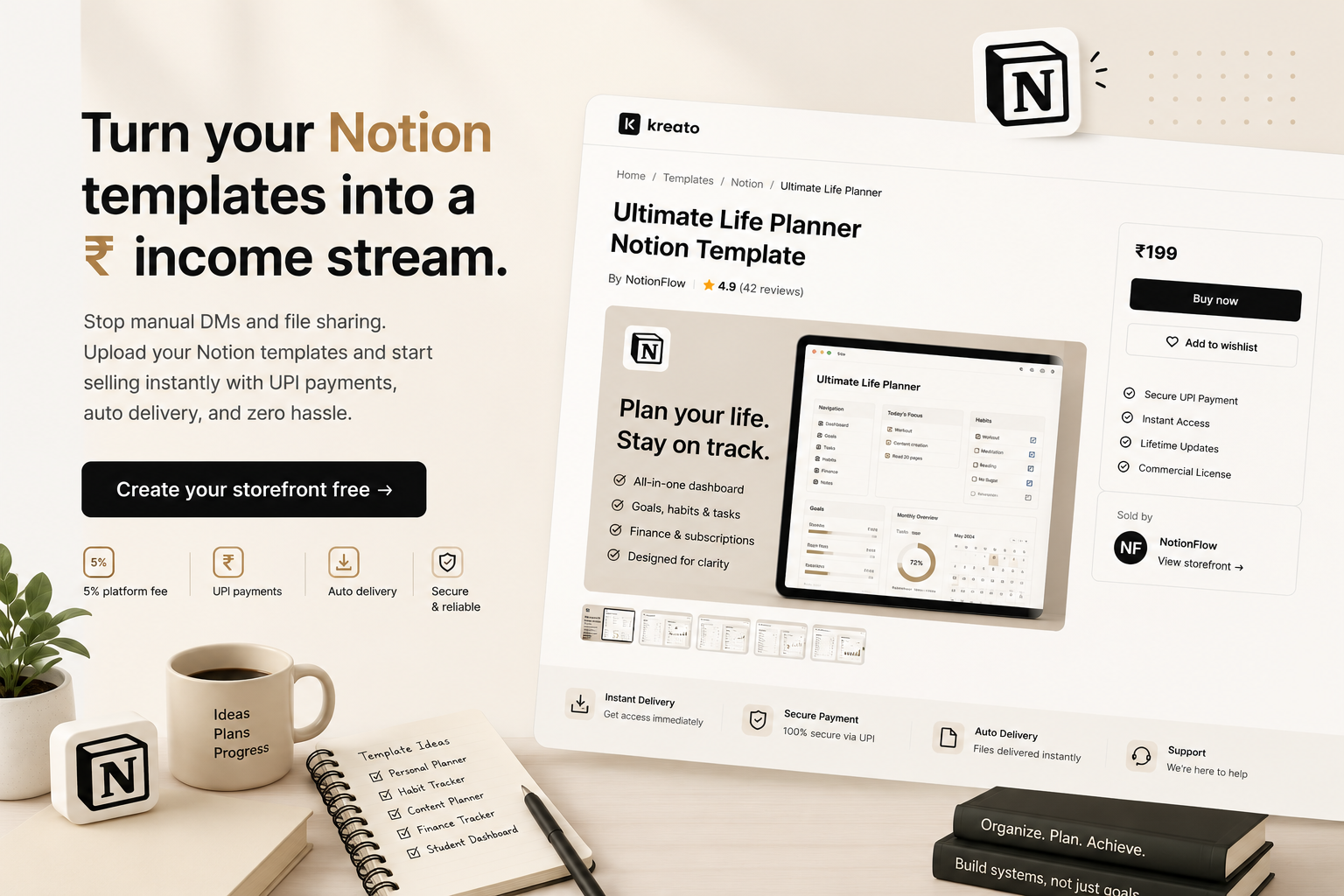
Stop sharing your dashboards and planners for free. Upload to Kreato, set a price in ₹, and buyers get instant access after paying via UPI - no DMs, no manual sending.
Start selling in 5 minutes →Free to join · No credit card needed
The problem every Notion creator faces in India
You share your Life OS or productivity dashboard for free on Gumroad - because it doesn't support UPI and Indian buyers can't pay.
When you do charge, buyers send UPI payments and wait for you to manually send the Notion link.
You have no way to revoke access if someone shares your template after buying.
No invoice means you can't sell to professionals or businesses who need a receipt.
Managing 10 DMs a day asking for the template link is eating into your actual work time.
Why creators switch to Kreato
Manual way
With Kreato
Send Notion links manually via DM
Instant delivery the moment payment clears
Collect screenshots as payment proof
Automatic payment confirmation
UPI impossible on Gumroad
UPI, cards and net banking built in
No invoice for business buyers
GST invoice auto-generated every sale
Kreato automates your Notion template business
Upload your Notion export (ZIP or PDF with share link) once.
Set your price in ₹ - buyers pay via UPI or card instantly.
Notion template link delivered automatically on payment.
No manual DMs, no verifying screenshots, no sending files.
GST invoice auto-generated for every sale.
Weekly payouts to your Indian bank account.
What creators are selling on Kreato
Instagram Templates
Resume Templates
Notion Templates
React Boilerplates
Excel Sheets
AI Prompts
UPI payments
INR pricing
Instant delivery
Creator storefront
Easy sharing
GST invoices
You spent hours building your Notion system.
Don't let it sit inside your workspace.
Publish it once. Share one link.
Get paid every time someone buys it.
How it works
Export your Notion template
Duplicate your Notion template, get the share link, and put it in a PDF or ZIP with setup instructions.
Set your INR price
Price in ₹. Your buyers pay exactly what you show - no USD conversion, no confusion.
Share with your audience
Post on LinkedIn, Instagram, YouTube, or in Notion communities. Your followers are your first buyers.
Earn automatically
Buyer pays via UPI or card. They get the template link instantly. You get notified and paid weekly.
Everything else you need to know about selling Notion templates
Best Notion templates that sell
The templates that consistently sell in India fall into a few categories: personal productivity systems (Life OS, second brain, daily planners), student templates (study trackers, assignment planners, exam prep boards), business dashboards (CRM lite, content calendars, freelance client trackers), and finance templates (budget planners, expense trackers, investment logs).
The common thread across all of them: they solve a specific, recurring problem rather than being a generic "all-in-one" template. A "Daily Study Planner for NEET Aspirants" will usually outsell a generic "Student Notion Template" because the buyer immediately sees themselves in it.
How much to charge for a Notion template
Most Notion templates in the Indian market sell between ₹99 and ₹999. Simple single-page templates (a habit tracker, a reading list) sit at the ₹99-₹249 range. Multi-page systems with databases, linked views, and setup guides typically go for ₹299-₹599. Comprehensive systems (a full business OS, a course-companion workspace) can reasonably charge ₹499-₹1,999.
A simple way to price: look at how many hours you spent building and refining it, and price so that 20-30 sales would meaningfully compensate that time. Then adjust based on what similar creators in your niche charge - being priced 10-20% below a comparable creator with a similar audience size is a reasonable starting position while you build reviews and sales history.
Where to promote your Notion template
Instagram Reels and carousels showing a scroll-through of the template work best for productivity and student templates - the visual "aesthetic" of a well-designed Notion page is itself the hook. Pin your storefront link in your bio and mention it explicitly in the caption ("link in bio").
Twitter/X works well for developer- or founder-facing templates (roadmaps, OKR trackers, content calendars) - build in public, share your own template in use, then link to the paid version. LinkedIn works for professional/business templates aimed at other working professionals. Notion-specific communities (Notion Tips & Tricks Facebook groups, r/Notion, Notion VIP) are smaller but highly qualified traffic for template-specific launches.
Can students sell Notion templates?
Yes. There is no minimum age, business registration, or GST requirement to start selling on Kreato - you only need a valid Indian bank account to receive payouts. Many creators start selling Notion templates specifically as students, since study planners and productivity templates built for their own use often resonate strongly with other students.
If you're earning above the basic exemption limit across the financial year, you're expected to declare it as income at tax time like any other earning - but there's no special registration needed just to start selling.
Free vs paid Notion templates - which should you offer?
Free templates are the better choice when you're building an audience and don't have one yet, or when you want to build an email/lead list to promote a paid product later - Kreato's free-download flow captures name, email and mobile automatically before delivery, so a free template still builds your list even without payment.
Paid templates make sense once you already have some audience trust - even a modest following of a few hundred engaged followers can convert a percentage into ₹199-₹499 buyers. A common strategy: offer one genuinely useful free template to build the list, and sell a more complete or advanced version as the paid product.
How duplicate links work for Notion templates
When you "share" a Notion template for sale, you're not sending your actual live workspace - you duplicate a clean copy of your template into a separate page, set its sharing permission to "Duplicate as template" (found in the page's Share settings), and copy that unique link. Every buyer who clicks it gets their own independent copy in their own workspace - they can't see or affect your original.
On Kreato, you don't upload the Notion link directly as your product file - instead, upload a short PDF (or even a plain text file) containing the duplicate link and any setup instructions. Kreato delivers that PDF automatically the moment a buyer pays, and the buyer clicks through to duplicate their own copy.
Notion Creator License - what you need to know
Notion allows individual creators to sell templates they've built using the platform under its standard terms - there is no special paid license required to sell a template you've created yourself. You do need to make sure you're not reselling someone else's template without permission, and any Notion branding/logos should not be used in a way that implies official endorsement by Notion.
If your template embeds someone else's icons, fonts, or design assets, double check that those specific assets are cleared for commercial redistribution - the Notion template itself has no licensing fee, but embedded third-party assets might.
Kreato vs Gumroad for selling Notion templates
The core difference for an Indian creator: Gumroad prices in USD and has no UPI support, so most Indian buyers either can't pay easily or abandon checkout when they see a foreign card requirement. Kreato prices natively in ₹, accepts UPI/cards/net banking via Razorpay, and auto-generates a GST-compliant invoice for every sale - something Gumroad does not do at all.
Gumroad charges roughly 10% per sale (plus payment processing); Kreato charges a flat 5%. For a creator doing most of their sales to an Indian audience, Kreato is typically both cheaper and has a meaningfully higher checkout conversion rate simply because UPI is available.
Frequently asked questions
How do I sell Notion templates in India?
Create a PDF with your Notion template share link and instructions, upload it to Kreato, set a price in ₹, and share your storefront link. Buyers pay via UPI and get instant access - no manual delivery.
Can I sell Notion Life OS dashboards on Kreato?
Yes. Any Notion template - Life OS, second brain, habit trackers, project management boards, study planners - can be sold on Kreato.
How do I deliver a Notion template after purchase?
Upload a PDF that contains your Notion duplicate link and setup instructions. Kreato delivers this PDF automatically when the buyer pays.
Can Indian buyers pay via UPI for Notion templates?
Yes. Kreato supports UPI (GPay, PhonePe, Paytm), cards, and net banking via Razorpay - all in ₹.
Do I need a GST registration to sell Notion templates?
No. Kreato auto-generates a GST-compliant invoice for every sale. You don't need your own GSTIN to sell.
What is the best alternative to Gumroad for selling Notion templates in India?
Kreato is purpose-built for Indian creators. It supports UPI, INR pricing, and GST invoices - all the things Gumroad doesn't do for India.
How much does Kreato charge per sale?
Kreato charges a flat 5% per sale. No monthly subscription.
Can students sell Notion templates on Kreato?
Yes. There's no minimum age or business registration requirement to sell on Kreato - many student creators sell templates alongside their studies. You just need a valid Indian bank account for payouts.
Should I make my Notion template free or paid?
Free templates work well for growing an audience or building a lead list (Kreato supports this too). Paid works better once you have a following that already trusts your work - even ₹99-₹299 templates add up at volume.
Start selling your Notion templates today
Free to join. Your storefront goes live in under 10 minutes.
Launch your Notion storefront →No credit card · Setup in 10 minutes